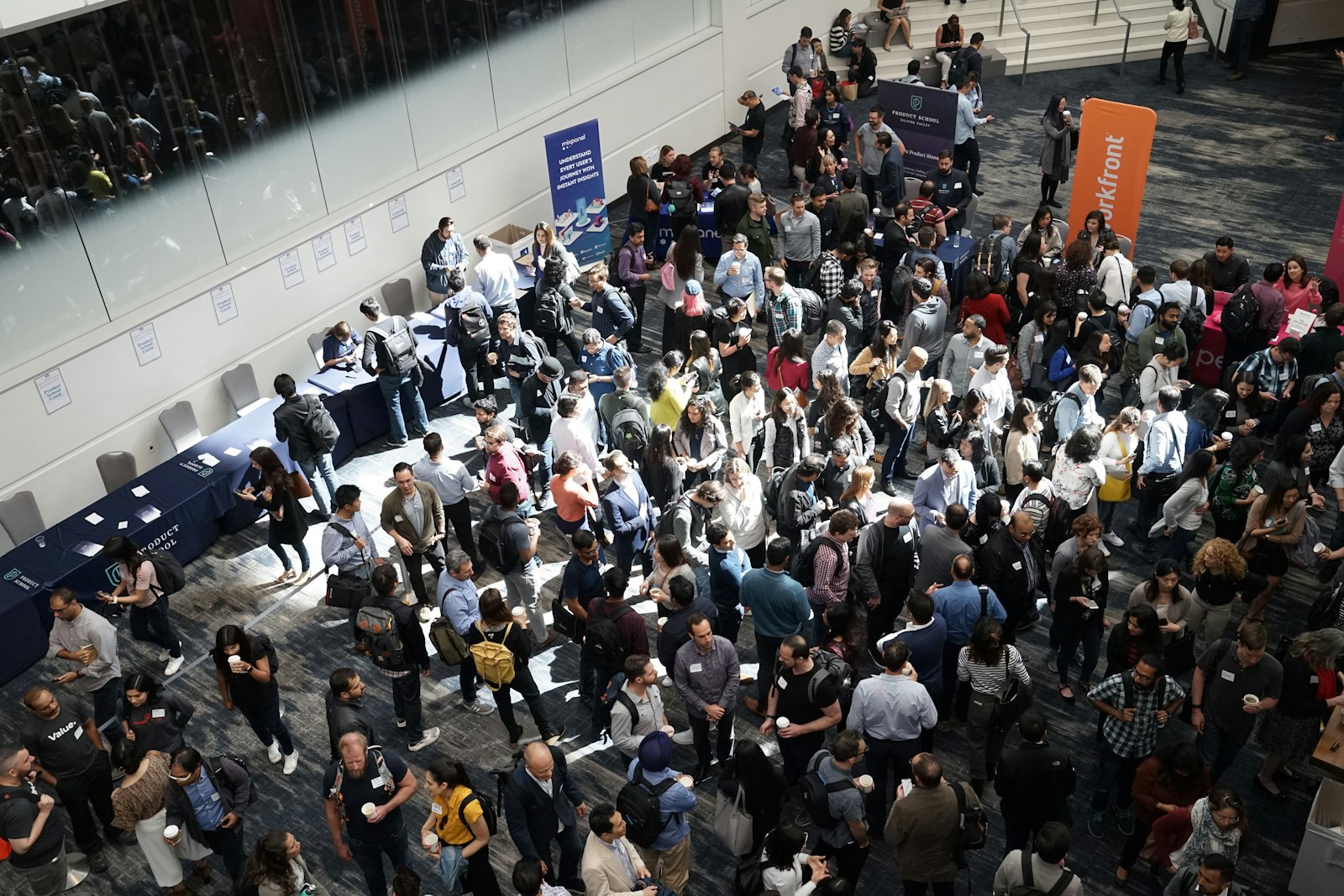
The whole job of a trade show check-in app is to turn a car park full of arriving visitors into a hall full of badged attendees without a queue that snakes out the door. The way you do it: give every registrant a QR code in advance, scan them in on any phone or at a self-service kiosk, print a badge on the spot in a few seconds, and run enough lanes that nobody waits more than a minute. Get the throughput maths right and check-in stops being the thing people complain about on the way in.
Trade shows live and die on first impressions, and the first impression is the entrance. A slow, chaotic trade show check-in sets a sour tone before a visitor has seen a single booth, and it costs your exhibitors the early-morning foot traffic they paid for. This guide covers how to keep the queue moving: the throughput numbers, the kiosk-versus-phone decision, and how to staff the door so arrivals never outrun your lanes.
Trade show check-in: the numbers that matter
Everything comes down to one comparison: how fast people arrive versus how fast you can process them. If arrivals outrun processing, a queue forms and grows. So you need to know both sides.
On the processing side, modern check-in is fast. A QR scan confirms a valid, unused registration in a couple of seconds. On-site credentialing setups check attendees in and print a badge in under 30 seconds per person, and a single well-run station can clear more than 200 attendees an hour (Arnett Credentials). Scanning also slashes errors: mobile QR check-in runs an error rate below 1%, against 15% to 20% for manual list lookups (Perspective AI, 2026), and every misspelled name at a manual desk is a mini-queue of its own.
On the arrivals side, trade shows are brutal because attendance clusters. A huge share of your visitors turn up in the first hour, especially around a keynote or a doors-open time. If 1,200 people mean to be inside for a 9am opening, and half of them arrive between 8:30 and 9:00, you need to process roughly 600 people in 30 minutes. At 200 per hour per station, that is one station clearing 100, so you need six lanes running to stay ahead. Guess low on lanes and the queue is your morning.
The lane maths, made simple
You do not need a spreadsheet to plan this, just three numbers: expected peak arrivals, the window they arrive in, and your per-station rate.
| Peak-hour arrivals | Stations at 200 per hour | Result |
|---|---|---|
| 400 in the peak hour | 2 stations | Comfortable, short waits |
| 800 in the peak hour | 4 stations | Steady flow, no build-up |
| 1,200 in the peak hour | 6 stations | Keeps pace with a doors-open rush |
| 2,000 in the peak hour | 10 stations | Needs kiosks plus staffed lanes |
Two rules of thumb save you. Always add a spare lane beyond the maths for the inevitable surge, and always keep a non-QR fallback (name or email search) running so a forgotten code does not stall a whole lane while someone digs through their inbox.
A queue is just arithmetic that went wrong. Count how fast people show up, count how fast you clear them, and add a lane before the maths bites.
Kiosk versus phone scanning: which to use where
The two fast check-in methods are not rivals so much as tools for different jobs, and big trade shows use both.
Phone scanning (staffed lanes)
Staff scan each visitor's QR code on an ordinary smartphone, confirm the record, and hand over or print a badge. It is cheap (any phone becomes a scanner), flexible (staff can rove the queue scanning codes while people wait), and human (someone is there to handle the confused, the late, and the "I think my colleague registered me"). It shines in the first 90 minutes when volume and confusion both peak.
Check Guests In Before the Queue Forms
QR scanning, instant badge printing and live arrival stats, run from any phone or tablet on the door.
Self-service kiosks
Attendees look themselves up on a tablet or kiosk, and it prints their own badge, no staff member required (Eventleaf, 2026). Kiosks scale beautifully because you can add ten of them without adding ten staff, and they quietly handle the steady trickle of afternoon arrivals long after you have stood the extra humans down. The trade-off is that a lost, first-time, or non-technical visitor still needs a person, so kiosks work best alongside at least one staffed lane, not instead of it.
The winning pattern for a large trade show: staffed phone lanes to absorb the morning surge and handle exceptions, plus a bank of self-service kiosks for volume and for the long tail of the day. Small and mid-size shows can often run on phone scanning alone.
What to look for in a trade show check-in app
Not every check-in tool is built for the trade show entrance. When you assess trade show registration software, pressure-test these five things:
Any-phone scanning. Can staff scan on their own devices, or are you forced to rent proprietary scanners? The former lets you add a lane in seconds.
Offline tolerance. Convention-centre WiFi fails. The check-in device should keep scanning against a local cache and sync when the connection returns, so a dead network does not stop the door.
On-demand badge printing to standard hardware. Badges should print in seconds from live data on off-the-shelf printers, not a locked device on a day rate.
A live dashboard. You want to see arrivals per minute and who is still pending in real time, so you can open another lane before a queue forms rather than after. That is the difference between tracking attendance in real time and finding out at lunch.
Individual staff logins. Each scanner logged in separately means clean per-lane data and no shared-login chaos.
Flat-fee platforms are worth a look here because check-in volume is exactly where per-attendee pricing punishes a busy show. eventcloud, for instance, includes any-phone scanning, offline check-in, on-demand badge printing and a live dashboard in its flat monthly cost, so a 5,000-person gate rush costs the same as a 500-person one. The principle matters more than the logo: a big, well-attended trade show should never be a bigger check-in bill.
On the day: keeping the flow smooth
Three habits keep a good setup from unravelling. Run a five-minute drill with your door staff before opening so nobody is learning the app while a queue builds. Position clear signage so QR-ready visitors self-sort into fast lanes and the "I need help" crowd into a staffed one. And watch the dashboard: the moment arrivals per minute climb toward your capacity, open the spare lane. Reacting to the number beats reacting to the complaints.
The honest caveat
If you are running a small, invitation-only industry breakfast for 60 people, all this is overkill, and a printed list with a pen is genuinely fine. The throughput planning, kiosks and lane maths start earning their keep at a few hundred attendees and become essential in the thousands, where a badly planned entrance turns into a viral photo of a queue. Match the effort to the scale.
Want to see any-phone scanning, offline check-in and live arrivals tracking working together? Our product overview shows the setup, and if you are planning the badge desk that sits behind the scanners, the guide to checking in 1,000 attendees with phones covers the lane logistics in detail.