A gala or a summit is not a general admission gig where everyone files through one door, grabs a lanyard and finds a spot on the grass. You are selling tables of ten, seating a board chair next to a headline donor, tracking who ordered the salmon and who cannot go within a postcode of a peanut, and keeping the VIP tier feeling genuinely VIP. Good gala ticketing software turns all of that from a spreadsheet held together with hope and highlighter into a handful of settings. This guide covers the three things that separate a black tie evening from a car park: VIP tiers, table and seat management, and per guest dietary and access forms.
If you are running a corporate summit, an awards night or a charity gala, the job is the same shape: multiple ticket types, group bookings, and data you need to collect per head rather than per order. Let us take the pieces one at a time.
Why gala and summit ticketing is a different beast
A standard event sells one kind of ticket to one kind of buyer. A gala sells a Cinderella's slipper of options: individual seats, VIP passes, sponsor tables, patron tiers and the occasional "name a star after the CEO" package. One person often buys for ten, and the ten do not exist in your system until much later. The people paying are rarely the people attending, and the data that matters (who is at which table, who needs step free access, who is coeliac) is attached to the guest, not the transaction.
That is the trap. Ticketing tools built for come one come all events treat the buyer as the attendee. For a gala, that leaves you exporting a list of purchasers, then chasing every table captain for ten names, ten meal choices and ten access notes over email. A platform that understands the summits and galas job lets a single buyer purchase a table, then collect the per guest detail itself. If you want to see how a purpose built registration and check in product handles group bookings and custom fields, that is the capability to look for.

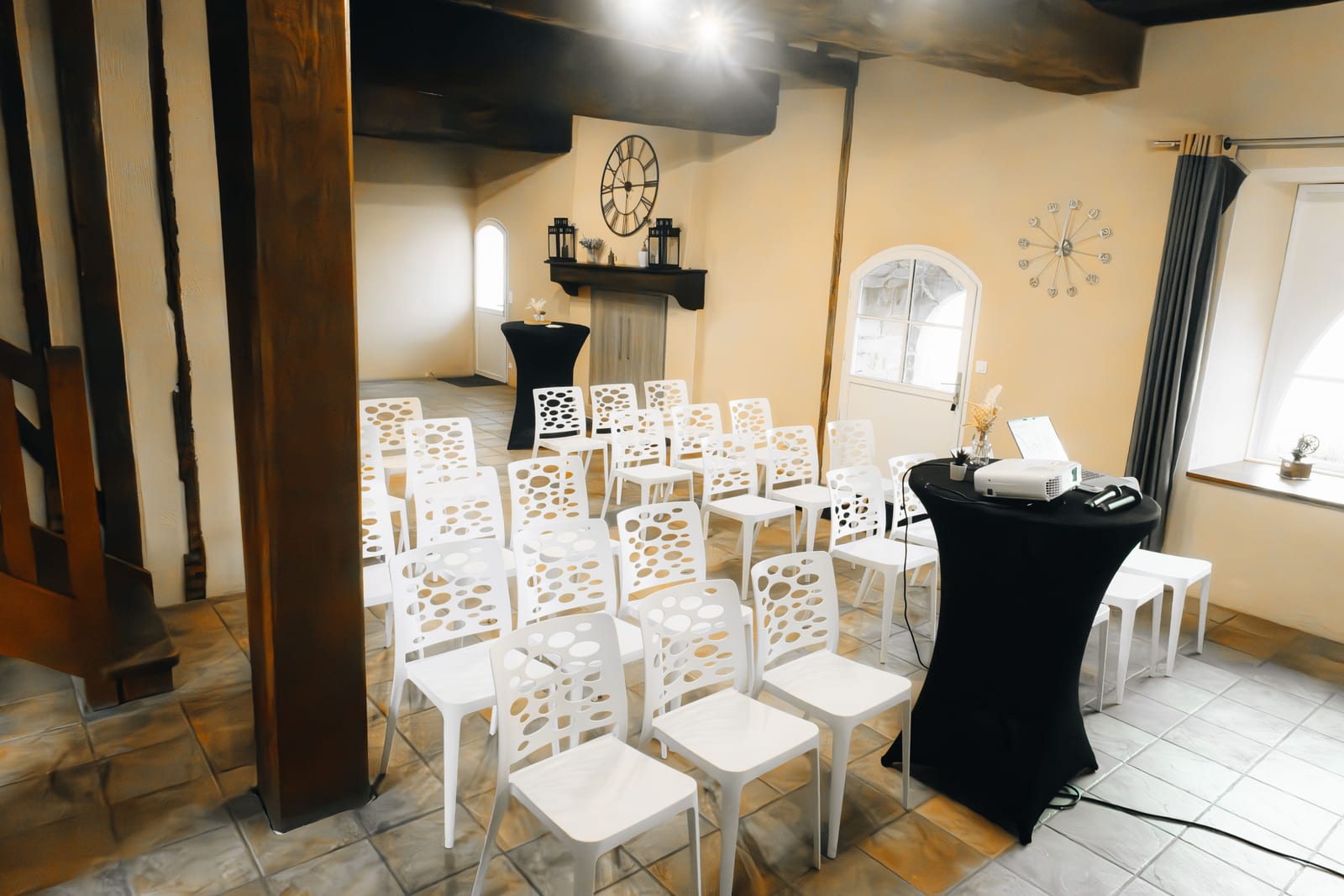
Every seat in this room belongs to a named guest with a meal choice. That is the data a gala lives or dies on. · credit: Stem List / Unsplash
VIP tiers: sell the experience, not just a better chair
A VIP tier only works if it feels like one from the checkout screen to the cloakroom. The mechanics are simple; the polish is where platforms differ. At minimum your gala ticketing software should let you build:
Multiple ticket types with their own price, allocation and perks. General seat, VIP seat, patron, and a table package that bundles ten in one purchase at a set price.
Sponsor and host tables sold as a single unit. A sponsor buys "Table 3, ten seats, logo on the menu" in one transaction, and your inventory drops by ten, not one.
Tier specific perks and comms. VIPs get the drinks reception, the early entrance and a different confirmation email. That is a filter, not a five hour mail merge.
Comp and invite only codes. The mayor, the award winners and the three journalists you actually want there should not be queueing behind a paywall.
Price the tiers so the middle option looks like the sensible one and the top looks like a treat. That is old fashioned menu psychology, and it works on gala tables as reliably as it works on wine lists.
Tables and seating: the part spreadsheets quietly ruin
Seating is where gala planning goes to lose its evening. The classic failure is a colour coded spreadsheet that only one person understands, updated the night before, and printed at 2am when someone's plus one drops out. The fix is a platform that treats the table as a first class object rather than a note in a comments field.
Look for three things. First, table buying that assigns a real block of seats, so a sponsor's ten seats are held together and cannot be split by later single sales. Second, delegated seat assignment, where the table captain gets a link to name their own guests and slot them into seats, which offloads the chasing from you to the person who actually knows who is coming. Third, seat holds that survive checkout, so two buyers cannot both land the last two seats at the good table during a busy on sale.
The measure of gala seating software is simple: on the morning of the event, can you move one guest to a different table in ten seconds without rebuilding the whole plan? If not, it is a spreadsheet wearing a lanyard.
Reserved seating maps matter more here than at almost any other event type, because the whole point of a gala is that Mrs Fortescue is at table one and not squinting at the stage from the back. TryBooking, for instance, is popular with schools and community galas partly because it ships real reserved seating maps and seat holds as standard rather than as a premium bolt on. Whatever you choose, the seating plan and the guest list should be the same live object, so a check in on the door updates the same record that holds the table number.
Run the Whole Event From One Platform
Ticketing, registration, promotions and check-in together, so the plan and the tools finally match.
Dietary and access forms: collect per guest, not per order
Here is the single most useful setting in gala ticketing software: custom questions attached to each attendee, not to the basket. Dietary requirements and access needs belong to the human in the seat, so asking them once at the order level (and getting one answer for a table of ten) is worse than useless. It gives your caterer false confidence.
Dietary demand is not a rounding error any more. Meeting professionals report special meal requests are growing, and for a typical hundred cover event a good chunk of the room will want something other than the standard plate. The practical setup is a short checklist of the common requirements (vegetarian, vegan, gluten free, dairy free, halal, kosher, nut allergy) plus a free text box labelled "other or specific allergies", because the serious medical cases never fit neatly in a dropdown. Make the question optional so it does not add friction, but make it easy to find. We go deeper on the wording and the caterer handoff in our guide to collecting dietary and accessibility needs at registration.
Access needs deserve the same treatment and a kinder question. A single inclusive line ("Do you have any access requirements, for example mobility, sensory or dietary, that we should know about to help you take part fully?") collects wheelchair space, a seat near the exit, a BSL interpreter or a quiet area without making anyone tick a box that feels clinical. Then the crucial bit: that data has to reach a report your caterer and floor team can actually read, broken down by table, rather than living in a field nobody exports until the starters are already plated.
What to look for: a quick comparison
Not every tool does the gala job, and some that can will charge you enterprise money for the privilege. Here is how the main options tend to line up on the features that matter for a summit or a gala dinner.
| Capability | General ticketing tools | Enterprise event suites | Flat fee registration platform |
|---|---|---|---|
| Table and sponsor table packages | Limited or manual | Yes | Yes |
| Reserved seating maps and seat holds | Sometimes a paid add on | Yes | Yes |
| Delegated seat assignment to table captains | Rarely | Yes | Yes |
| Per guest dietary and access fields | Order level only, often | Yes | Yes |
| Caterer ready dietary report | Manual export and sort | Yes | Yes |
| Typical cost shape | Percentage plus fee per ticket | Licence plus per registrant plus add ons | Flat monthly per user, zero per ticket |
The honest read: enterprise suites like the big conference platforms genuinely do all of this, and if you are running a two thousand guest international summit with travel logistics and a compliance team, that depth earns its keep. For the more common case, a single annual gala or a busy calendar of dinners and summits, an all inclusive platform where seating, group bookings and per guest custom fields come as standard will do the same job without the per registrant meter running. eventcloud sits in that second camp: a flat monthly price per user, no fee skimmed off every ticket, and your own Stripe account so the ticket money lands with you as it sells rather than weeks after the last dessert.
A sane setup order for the night
Build it in this order and future you will send present you flowers. Start with your ticket types and table packages, including comps and sponsor tables. Set allocations and hold the good tables for the people who fund the thing. Add per guest custom questions for dietary and access needs, keep them optional and clearly worded, and test the caterer report before you announce. Turn on delegated seat assignment so table captains do your admin for you. Send tier specific confirmations. Then, a week out, run the dietary and access report, hand it to your caterer and floor team, and walk the seating plan one last time.
Do that and the evening runs on rails: guests find their tables, the kitchen plates the right meals, the VIP tier feels like an event rather than a wristband, and you get to enjoy your own gala instead of refereeing a spreadsheet from the wings.
If you want a registration and seating setup that treats every guest as an individual rather than a line on an order, take a look at how eventcloud handles gala and summit registration, or see the flat, unlimited pricing on our pricing page.