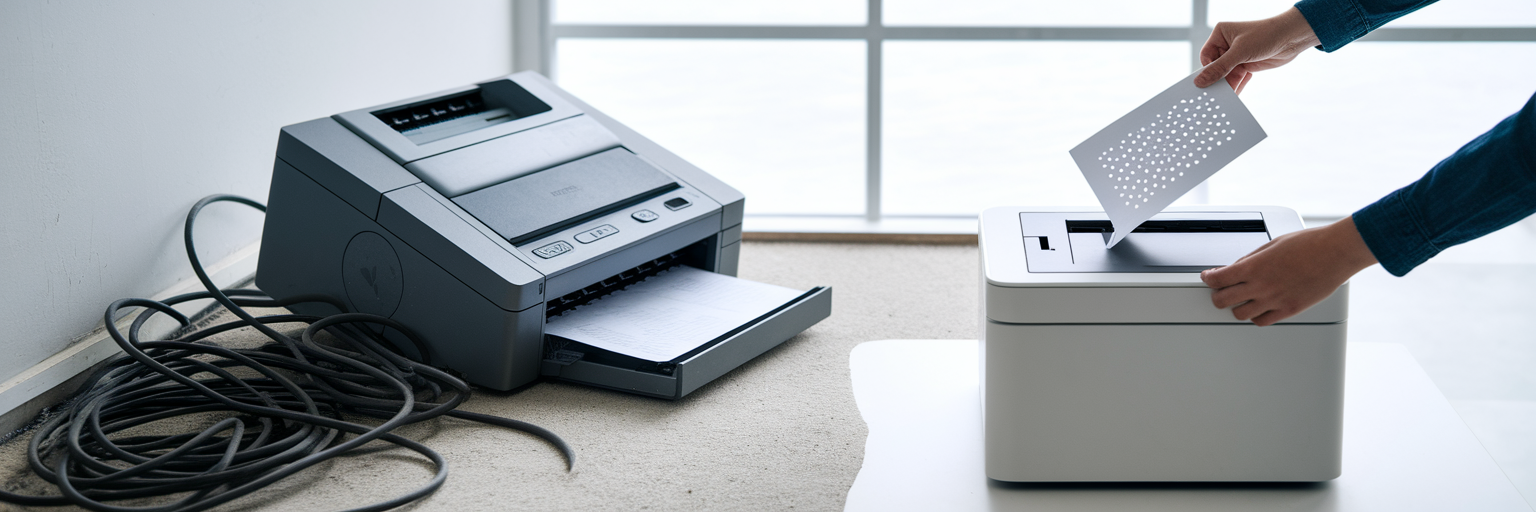
Imagine buying a beautiful, state-of-the-art toaster, only to discover it exclusively toasts one brand of bread. A brand that costs a small fortune and is only sold by the toaster company. It sounds absurd, yet for years, the events industry has put up with a similar model for printing badges and tickets. This reliance on proprietary hardware is an outdated concept that clashes with modern needs for flexibility and common sense.
Why Proprietary Printers Are So Last Season
The old way of thinking forced event managers into a corner, suggesting that the only way how to print event badges professionally was with a special, branded machine. This approach comes with a long list of frustrations and hidden costs that feel designed to drain your budget. We have all felt that pain at some point.
The financial burden goes far beyond the initial purchase. The true cost is often buried in the details:
The eye-watering price of the printer itself, which could often fund a decent chunk of your marketing budget.
Bespoke ink cartridges that seem to cost more per millilitre than liquid gold.
Special paper that feels like it's woven from unicorn hair, given its price tag and scarcity.
The inevitable ‘service fees’ that appear when the machine throws a wobbly right before your doors open.
Beyond the cost, the biggest headache is the complete lack of flexibility. Picture this: it’s the day before your event, and your one and only proprietary printer breaks down. You can’t just pop down to Currys for a replacement. You’re stranded, facing the prospect of hand-written badges. Some companies treat their hardware like a precious artefact, but at the end of the day, it’s just a plastic box that should make your life easier, not harder. 😉
The Glorious Freedom of Your Office Printer
Now, let’s talk about the unsung hero of event management: the standard A4 office printer sitting in the corner of your room. By shifting your perspective, you can see that the solution to your printing woes has been there all along. Using the equipment you already own is not a compromise; it is a smarter way to work.
This approach offers immediate and obvious benefits. The most significant is cost. Instead of spending thousands on a single-purpose machine, you can reallocate that budget to something that genuinely improves your event, like a decent coffee machine for the exhausted event team. Then there is flexibility. When a VIP arrives with an unexpectedly large entourage, you can print their badges in seconds from any connected computer, not just a dedicated station at the venue.
This is where eventcloud comes in. We believe in empowering you with the tools you already have. Our platform is built on the philosophy that the best event ticket printing software is the kind that works seamlessly with your existing setup. It’s about giving you the freedom to manage your event your way, without being locked into an expensive and rigid ecosystem. You can find out more about our approach on the eventcloud homepage.
Your Step-by-Step Guide to Printing Glory
Ready to embrace printing freedom? It’s simpler than you think. Step 1: Don't Panic. We've got this. Here is how you can produce professional badges using eventcloud and your trusty office printer. This is DIY event badge printing without the stress.
Select Your Attendees: First, head to your attendee list within the eventcloud registration and ticketing platform. You can easily filter and select specific groups or individuals who need a badge, whether it’s your entire guest list or just a few last-minute additions.
Choose a Template: Forget designing from scratch. We have a range of pre-designed, professional templates ready to go. Pick one that matches your event’s branding and let the platform do the heavy lifting.
Generate the PDF: With one click, eventcloud will generate a perfectly formatted PDF. The badges are automatically arranged to fit standard A4 perforated sheets, which means no time wasted on manual alignment or complicated software.
Check Your Print Settings: This is the most important step. When you print the PDF, make sure your print scale is set to ‘100%’ or ‘Actual Size’. If you miss this, you might end up with badges that look like they’ve been hit by a shrink ray.
Choose Your Paper: You don’t need anything fancy. Standard A4 perforated badge paper is all it takes. A quick search for ‘A4 perforated event badge paper UK suppliers’ will give you plenty of affordable options online or from office supply stores.
Designing Badges That Don't Look Rubbish
A badge is more than just a name tag; it’s a piece of your event’s brand identity. You want it to look professional, not like you organised the whole thing in a shed. Good design communicates competence and attention to detail. Fortunately, creating a great-looking badge is about following a few simple rules, not about being a graphic design genius.
What Would Zero Booking Fees Save You?
eventcloud charges a flat subscription, not a cut of every ticket. Compare it with what your current platform takes.
Within the eventcloud designer, you have all the tools you need for effective custom event ticket design. To keep things simple, we have put together a quick guide on what to focus on and what to avoid.
| Feature | Do This 👍 | Don't Do This 👎 |
|---|---|---|
| Fonts | Use a clear, bold, sans-serif font for names. | Use swirly, cursive fonts that are impossible to read from a distance. |
| Branding | Add your event logo and use 1-2 key brand colours. | Cram every sponsor logo onto the badge until it looks like a race car. |
| Information | Prioritise First Name, Last Name, and Company. | Include their life story, star sign, or favourite Spice Girl. |
| QR Codes | Place it clearly for easy lead scanning. | Make it tiny or cover it with other design elements. |
The key takeaway is to keep your design clean, branded, and functional. A great badge gives attendees the information they need at a glance and represents your event with style.
Troubleshooting When Your Printer Throws a Tantrum
Okay, so your printer is jamming more than a Bob Marley tribute band. Deep breaths. Even the most reliable office equipment can have an off day. Here are the two most common issues and how to solve them without losing your cool.
First, alignment issues. If your text isn't lining up perfectly within the perforated sections, the cause is almost always the print scaling. Go back and double-check that your printer is set to print at 100% scale. This single setting solves the problem nine times out of ten.
Second, paper jams. Perforated badge paper is thicker than standard copy paper. Sometimes you just need to tell your printer what it’s dealing with. Check your printer’s paper tray settings and make sure it’s configured for thicker card stock. It’s like telling a stubborn toddler exactly what you expect it to do.
And here’s the ultimate trump card: if one printer refuses to cooperate, you can just walk over and use a different one. That’s the freedom you get when you aren’t tied to a single, proprietary machine. Our support team is always here to help with the entire process, from event registration and ticketing to the final print. It's all part of the value we offer, which you can explore on our plans and pricing page.
Frequently Asked Questions
Do I need a proprietary printer to print event badges?
No. A standard A4 office printer with perforated badge paper can produce professional badges. Proprietary machines lock you into expensive bespoke ink, special paper and service fees, and if the machine breaks the day before your event you cannot simply buy a replacement locally.
How do I print event badges with eventcloud and an office printer?
Select the attendees who need badges in the platform, choose one of the pre-designed templates that matches your branding, and generate a PDF with one click. The badges are automatically arranged to fit standard A4 perforated sheets, so you just print at 100% scale on perforated badge paper.
What paper do I need for DIY badge printing?
Standard A4 perforated badge paper is all it takes, with no special stock required. A quick search for A4 perforated event badge paper suppliers will turn up plenty of affordable options online or from office supply stores.
Why are my badges printing misaligned or jamming the printer?
Misalignment is almost always caused by print scaling, so check that your printer is set to print at 100% or 'Actual Size', which solves the problem nine times out of ten. Paper jams usually happen because perforated badge paper is thicker than copy paper, so set the paper tray to thicker card stock.