
The best QR code check-in app for events is the one that gets a queue of real humans through the door before they start eyeing the exit. There is no single winner, because a 40-person meetup and a 4,000-person conference want very different things. This is an honest, use-case-led comparison of the free and paid options worth your time in 2026, what each does well, and where each falls down. No "we are number one" nonsense, because search engines (and readers) can smell that from across the lobby.
First, the golden rule: the scanning app matters far less than what it is plugged into. A free scanner attached to messy data will still let in the wrong people and lock out the right ones. So judge these tools on three things: how fast they scan, whether they work when the venue Wi-Fi inevitably dies, and whether the check-in data flows back to the platform that holds your registrations.
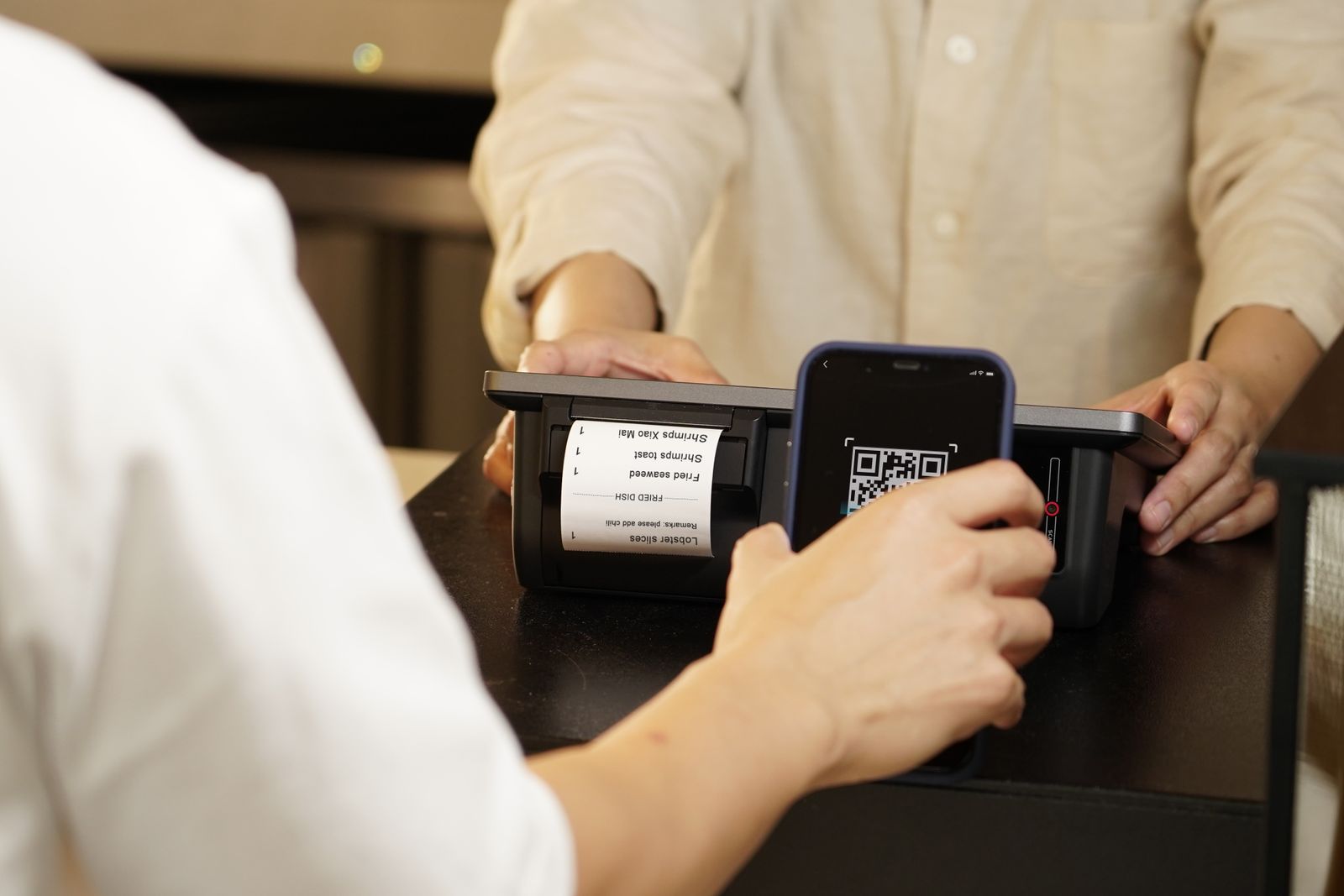
The dream: scan, beep, in. The nightmare: scan, spinning wheel, "no signal", riot. · credit: iMin Technology / Pexels
How QR code check-in actually works (and why it beats a clipboard)
The mechanics are refreshingly simple. When someone registers, the platform generates a unique QR code and emails it on their ticket. On arrival, a phone or tablet camera reads that code, the app matches it to the attendee record, and it marks them present in a fraction of a second. Because each code is unique and single-use, the same ticket cannot stroll in twice, and you get a live, accurate headcount instead of a smudged tally on a printout.
Compared with a paper list, the gains are not subtle: scanning is several times faster than finger-tracing a name down a page, duplicates and gate-crashers are caught automatically, and you can see arrival numbers update in real time so you know whether to open another lane. The catch is that a QR system is only as good as the data and the connection behind it, which is why the rest of this guide cares less about the scanner and more about what it is plugged into.
The free options (genuinely free, not "free-ish")
If you are running smaller or budget-conscious events, several tools will scan QR tickets at no cost, usually because check-in is a feature that comes bundled with the ticketing platform you already use.
Ticket Tailor offers a free check-in app on iOS and Android that scans QR codes and barcodes from both mobile and printed tickets, works offline, and syncs check-in data across multiple devices. For small-to-mid events it is a tidy, no-drama choice. Humanitix bundles a free scanning app (Humanitix for Hosts) with every plan, with no subscription for the scanner itself. FreshTix ships a free ticket-scanning app that turns any phone camera into a scanner. RegFox includes a free check-in app with its registration product. And in 2026, Jibble launched a genuinely free standalone check-in app supporting QR codes, NFC or RFID taps and a tablet kiosk mode, which is unusual for a tool that is not trying to upsell you a whole ticketing stack.
The catch with "free" is rarely the scanner. It is the per-ticket fee on the platform behind it, or the feature ceiling you hit at scale. Humanitix, for example, raised its US standard booking fee to 5% + $1.29 per paid ticket in 2026, so the free app sits on top of paid ticketing. Free to scan does not always mean free to run.
The paid platforms (where check-in is one feature of many)
For larger conferences, paid platforms bundle check-in with badge printing, networking, session tracking and analytics. You are not really buying a scanner here, you are buying an operations platform.
Whova is a full conference app where check-in is one slice, with real strength in attendee networking and session Q&A. Pricing is custom and generally lands in the low thousands per event depending on attendee count. Micepad is built tightly around the check-in and badge-printing workflow, with paid plans reported from around $475 per event for check-in and $600 per event with badge printing. Accelevents, Zoho Backstage and Eventleaf all offer QR scanning with offline mode and onsite badging as part of broader platforms. And Eventbrite's Organizer app handles scan-based check-in for events sold on Eventbrite, though that ties you to Eventbrite's per-ticket fee model.
Flat-fee platforms sit in their own column. eventcloud, for instance, includes check-in in the product at a flat $125/user/month with no per-ticket fee: any phone becomes a scanner, each staff member gets their own login, and arrivals appear on a live dashboard in real time. It is not the right pick for a tiny one-off free raffle (a free bundled scanner is plenty for that), but for organisers running many events a year it stops check-in being a fresh per-event invoice.
The feature that actually saves your event: offline mode
Venue Wi-Fi is the punchline of every event-day horror story. The check-in apps that survive a network outage are the ones that cache the attendee list locally on each device, so scanning, searching and validating keep working with no signal, then sync automatically when connectivity returns.
| Tool | Best for | Cost model | Offline mode |
|---|---|---|---|
| Ticket Tailor app | Small-mid events on Ticket Tailor | Free app (flat per-ticket fee on platform) | Yes |
| Humanitix for Hosts | Fundraisers and community events | Free app (5% + $1.29 US ticket fee) | Check before relying on it |
| Jibble | Free standalone QR/NFC check-in | Free | Yes |
| Whova | Networking-heavy conferences | Custom, ~low thousands/event | Yes |
| Micepad | Check-in plus on-demand badges | From ~$475/event | Yes |
| eventcloud | Organisers running many events | $125/user/month, $0/ticket | Yes |
If a check-in app cannot scan when the Wi-Fi drops, it is not a check-in app. It is a liability with a camera.

Every one of these people wants to be inside, not in a queue arguing with a spinning wheel. · credit: Product School / Unsplash
Check Guests In Before the Queue Forms
QR scanning, instant badge printing and live arrival stats, run from any phone or tablet on the door.
Staff-scan or self-scan? Pick by crowd, not by gadget envy
Most check-in apps support two modes, and the right one depends on your attendees, not on which looks cooler in the demo. Staff-scan puts a steward with a phone at each lane, scanning each ticket as people arrive. It is forgiving, human, and great when you need to greet, verify ID, or hand over a badge and a tote bag at the same time. Self-scan kiosks let attendees scan themselves at a tablet, which is fast and cheap on staff for tech-comfortable crowds, but turns into a confused huddle the moment someone cannot find their confirmation email.
A sensible default for a mixed conference crowd is staff-scan on the main lanes plus a self-scan kiosk or two as overflow for the confident and the early. For a developer conference, lean self-scan. For a gala where half the room is "where do I go, dear", lean staff. The app is the same either way; the staffing plan is what actually clears the queue.
What to test before you commit
Before you sign up to anything, run a five-minute demo of the actual scan flow and check four things: how many seconds a single scan takes from "phone up" to "green tick"; whether it can search by name when a QR code will not read (it happens, screens crack and brightness drops); whether multiple devices stay in sync so the same ticket cannot walk in twice; and whether check-in data lands back in your registration system automatically rather than as a CSV you have to merge by hand at midnight. If a vendor cannot show you all four, that is your answer.
The check-in day mistakes no app can save you from
Even the best scanner cannot rescue a badly run desk, so swerve the classics. Too few devices: one phone for 500 arrivals is not a plan, it is a bottleneck with a lanyard. Size your lanes to your arrival spike, not your total. Untrained stewards: the app is easy, but "what do I tap when the code will not read" should be answered in a five-minute briefing, not improvised live. No name-search fallback: cracked screens, dimmed phones and screenshots happen, so your team must be able to find a record by name in seconds. Dirty data: duplicate or mistyped records turn a one-second scan into a thirty-second hunt, so de-duplicate your list before the doors open.
And the quiet one nobody admits to: not testing on the actual venue network. The hotel ballroom three floors underground is not your office Wi-Fi. Walk the space, scan a live ticket where the desk will actually stand, and find the dead spots before your attendees do.
How to actually choose
Work backwards from your event, not the feature list. If you are running a free 50-person meetup, grab whatever scanner comes free with your ticketing tool and move on with your life. If you are running a fundraiser, a bundled free app from a charity-friendly platform keeps more money with the cause. If you are running a multi-track conference with badges, sponsors and lead capture, you want a platform where check-in, badge printing and registration data are one connected system rather than three apps held together with hope.
And whatever you pick, pressure-test two things before the event: scan a real ticket on a real phone in the actual venue, and turn the Wi-Fi off mid-scan to see what happens. The demo always works. The car park at 8am with 600 people and one bar of signal is the real exam.
For a closer look at how scan-and-search holds up at serious volume, we walked through clearing a thousand arrivals on nothing but phones in this guide. And if you want check-in that is simply part of the platform rather than a bolt-on you pay for per event, here is what eventcloud includes.
Frequently Asked Questions
How does QR code check-in work at events?
When someone registers, the platform generates a unique QR code and emails it on their ticket. At the door, a phone or tablet camera reads the code, matches it to the attendee record, and marks them present in a fraction of a second. Because each code is unique and single-use, the same ticket cannot enter twice, and you get a live, accurate headcount instead of a smudged paper tally.
What is the best free QR code check-in app?
Several are genuinely free: Ticket Tailor's iOS and Android app scans QR codes and barcodes, works offline and syncs across devices; Humanitix, FreshTix and RegFox bundle free scanning apps with their platforms; and in 2026 Jibble launched a free standalone app supporting QR, NFC or RFID and a tablet kiosk mode. The catch is usually the per-ticket fee on the ticketing platform behind the scanner, not the scanner itself.
Do QR check-in apps work without Wi-Fi?
The good ones do. Apps that survive a network outage cache the attendee list locally on each device, so scanning, searching and validating keep working with no signal, then sync automatically when connectivity returns. If an app cannot scan when the Wi-Fi drops, it is a liability with a camera. Always test on the actual venue network before event day, not your office Wi-Fi.
Should attendees scan themselves or should staff scan tickets?
Pick by crowd, not gadget envy. Staff-scan is forgiving and human, ideal when you need to greet people, verify ID or hand over badges. Self-scan kiosks are fast and staff-light for tech-comfortable crowds but fall apart when someone cannot find their confirmation email. A sensible default for a mixed conference is staff-scan on the main lanes plus a kiosk or two as overflow.
What should I test before choosing a check-in app?
Run a five-minute demo of the real scan flow and check four things: how many seconds a scan takes from phone-up to green tick; whether it can search by name when a code will not read; whether multiple devices stay in sync so a ticket cannot enter twice; and whether check-in data lands back in your registration system automatically. If a vendor cannot show all four, that is your answer.