Zoho Backstage sizes each plan by attendees per event, from 100 on Free to 5,000 on Ultimate, and charges for each attendee above the cap. eventcloud never counts attendees, registrations or events; the only thing we meter is your team. Competitor facts checked 27 October 2026. Sources and dates are listed below.
Show or hide questions based on earlier answers. Each audience already gets its own form. Need branching inside one? Tell us.
Zoho BackstageYes
Rules that adapt each ticket class's form to earlier answers.S2
Checked
Approvals and Waitlists (stronger: Zoho Backstage)
eventcloudComing Soon
Approve each registration before it is confirmed, and run a waitlist for sold-out tickets with releases you control. A waiting list on tickets not yet on sale already emails everyone the moment they open. Need either? Talk to us.
Zoho BackstageYes
A registration approval toggle, and a ticket waitlist on Premium. S1S2
Checked
Payments
Payment Gateways (stronger: Zoho Backstage)
eventcloudPartial
Card checkout straight into your own Stripe account, plus payment links that hold a seat. Using another gateway? Ask us.
Zoho BackstageYes
Stripe, PayPal, Paytm, Authorize.Net, Razorpay and others.S2
Checked
Offline Payments (stronger: Zoho Backstage)
eventcloudComing Soon
Delegates pay by invoice, bank transfer or purchase order. If your finance team needs it, let us know.
Print a whole group's badges in one go. Any single badge prints from the dashboard, and the kiosk prints each one as people arrive. Printing hundreds the night before? Drop us a line.
Visitors check themselves in at the Badge Kiosk: they type their ticket number, or find themselves by name or email if you allow it, correct their name if you let them, then print.
Exhibitors use their own phones to scan the QR code on each attendee's badge or in their event app, rate and qualify each lead, and export to Excel. No charge from us per scanner or per lead.
Zoho BackstageYes
On Premium, with lead scanning in the Exhibitor Pro add-on, counted per exhibitor.S1
Checked
Floor Plan and Booths (stronger: Zoho Backstage)
eventcloudComing Soon
Floor plans and stand sales. Exhibitor staff already register through a private ticket group. Selling stands this year? Get in touch.
Zoho BackstageYes
A floor planner for booth bookings, on Premium. S1S4
Checked
Data
Webhooks and API (stronger: Zoho Backstage)
eventcloudPartial
Coming soon: a data API with webhooks. The read-only Content API, which shows your published events on your own website, is live today. Excel exports carry every registration answer. Tell us what you want to connect.
Team seats only. Attendees, registrations and events are never counted.
Zoho BackstageNo
Capped per event by plan, with each extra attendee charged.S1
Checked
How to read it. Yes, Partial and No describe each platform today; Not confirmed means we could not confirm it from public sources on the date checked, never that it is missing. Coming soon marks what eventcloud is building now, and the row still goes to whoever does it today. Tell us if a fact has changed. Zoho, Zoho Backstage, BadgeUp and Exhibitor Pro are trademarks of their owners, used only to identify the products compared; eventcloud is not affiliated with Zoho Backstage.
What Gets Counted
What Each Platform Meters.
Zoho Backstage sizes its plans by attendees per event. eventcloud counts the people on your team.
eventcloud Counts
Team seats
Attendees, registrations and events are never counted.
Zoho Backstage Counts
Attendees per event
Free 100, Essentials 200, Premium 1,000, Ultimate 5,000, with each extra attendee charged and Exhibitor Pro counted per exhibitor S1.
What unlimited covers here, and the few limits that remain, is written out just below.
Unlimited, with the Small Print Printed Large.
The crowd can double. Here is what still has a limit, and why it is operational.
Unlimited events, registrations and attendees on every plan. We count team seats, not tickets, so your bill does not rise because your event sells out. The limits that do exist are operational, not commercial: 99 of one ticket type per order line, 10,000 orders per Excel export, five languages per event, and one subdomain and one sending domain per organisation.
The Headcount
Bigger Crowd, Same Plan.
On a plan sized by attendees per event, a sold-out hall is also a pricing decision. Here it is just a good day: the crowd grows and what we meter stays put, because we count your team.
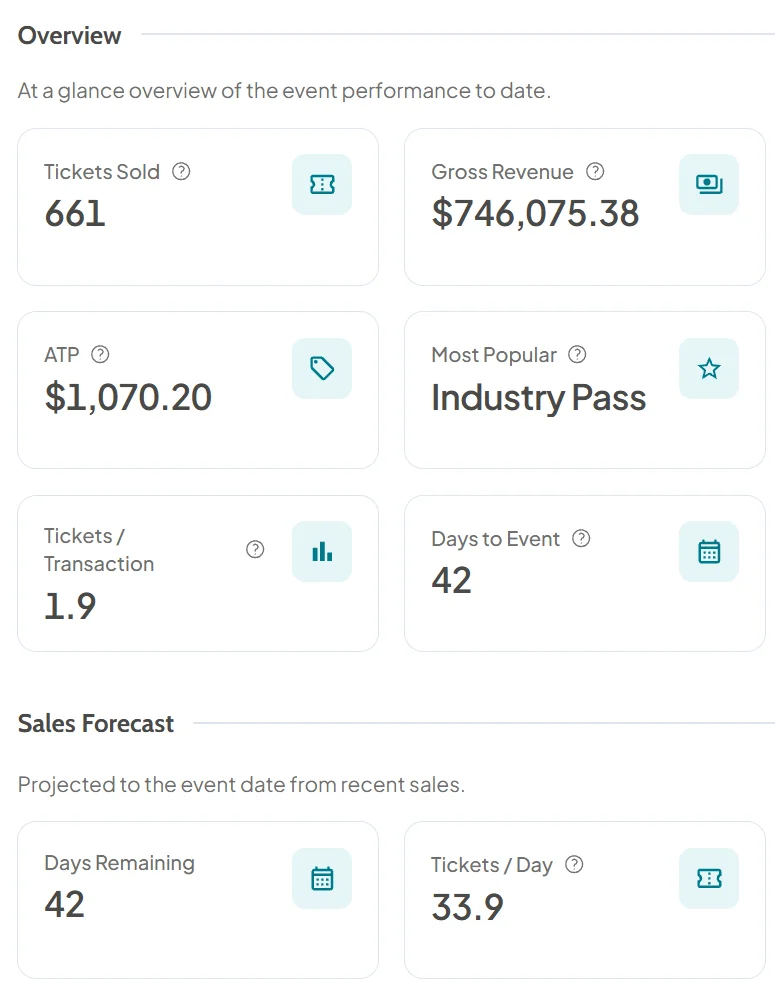
A forecast for the sell-out: Insights projects final ticket sales from recent sales and shows how much capacity is gone, so you see the big day coming.
Net revenue you can check: revenue after the real Stripe fee, read from Stripe, for each event.
Arrivals by hour: on the day, Insights shows the check-in rate and arrivals by hour.
Session doors, counted: scan at a session's door and every device there shows a running count of admissions against its capacity.
Where the Facts Come From
Sources.
Every competitor fact on this page links here, with the date we checked it.
Zoho Backstage's UK pricing page lists Free (100 attendees per event), Essentials at £83 a month (200), Premium at £166 a month (1,000) and Ultimate at £333 a month (5,000), billed annually, with £0.40 for each additional attendee, £39 for each extra Exhibitor Pro, and local taxes on top (Zoho Backstage pricing page, checked 27 October 2026). eventcloud's price is on our pricing page, and it never counts attendees.
What happens when our event outgrows its attendee tier?
Nothing changes on our side. Unlimited events, registrations and attendees on every plan. We count team seats, not tickets, so your bill does not rise because your event sells out. The limits that do exist are operational, not commercial: 99 of one ticket type per order line, 10,000 orders per Excel export, five languages per event, and one subdomain and one sending domain per organisation.
Can eventcloud print badges at check-in like Zoho Backstage?
Yes. Turn a laptop and the printer beside it into a self-service Badge Kiosk: visitors type their ticket number, or find themselves by name or email if you switch that on, check the badge and print it, and printing checks them in. Start Edge or Chrome in kiosk mode on a Windows laptop, with the command on the Badge Kiosk page, and badges print with no dialog. Coming soon: printing a whole group's badges in one go from the dashboard. Need it for your show? Tell us.
Can exhibitors scan leads?
Yes. Lead retrieval comes with every seat: exhibitors use their own phones to scan the QR code on each attendee's badge or in their event app, rate and qualify each lead, and export their leads to Excel. No charge from us per scanner or per lead. You decide whether exhibitors get it with their pass or buy it at checkout for a price you set. Zoho Backstage includes lead capture on Premium, with lead scanning in its Exhibitor Pro add-on.
Does eventcloud have conditional fields?
Coming soon: show or hide questions based on earlier answers. Need branching for your next event? Let us know. Each ticket group has its own form, so each audience is asked only what applies to it, over as many pages as you like.
Can we try eventcloud for free?
Yes. You can build the whole event, rehearse checkout with Stripe test cards and rehearse check-in on a draft event for free; you subscribe when you are ready to publish. Free events get the same ticket PDFs, QR codes and confirmations as paid ones.
We've received your message now and one of our colleagues will reply to your message as soon as they see it. We try to reply immediately, but sometimes, we gotta get the kids from school or get some food or some trivial every day task.